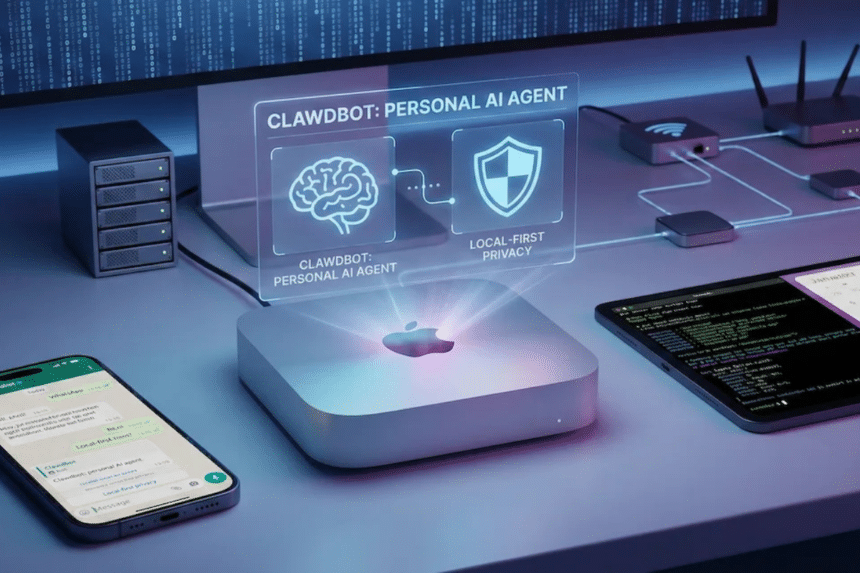
Clawdbot:Personal AI Assistant That’s Changing How We Handle Daily Digital Chores
If you’ve been hanging out on tech Twitter or scrolling through productivity forums lately, you might have noticed a buzz around something called Clawdbot. To the uninitiated, it sounds like just another AI tool in an already crowded market. However, those who have actually tried it realize it’s a completely different “species” compared to the ChatGPTs we use for writing essays or checking grammar.
Originally known as Clawdbot and now officially rebranding to Moltbot, this tool represents a shift from “AI that talks” to “AI that does.” If you are a business owner in KL or a freelancer in Penang juggling a hundred tabs, this might be the explanation you’ve been looking for.
So, what is Clawdbot anyway?
To understand what is Clawdbot, we first need to look at how we currently use AI. Most of us treat AI like a search engine or a copywriter. You ask a question, it gives an answer. But it doesn’t “move.” It stays inside the browser tab.
Clawdbot is what the industry calls an “AI Agent.” Instead of just generating text, it is designed to interact with your local environment. It lives on your machine and can actually perform actions—like moving files, reading your specific local documents, or even interacting with other software you have installed. It’s essentially a bridge between the high-level intelligence of models like Claude 3.5 and the actual “buttons” on your computer.
Related News



Official Website: Moltbot — Personal AI Assistant
Moving beyond chat: What can Clawdbot actually do?

A common question is: what can Clawdbot do that my phone assistant or a standard chatbot can’t? The magic lies in its “Proactive” nature.


Most AI is reactive—it waits for you to type something. Clawdbot, however, can be set to monitor things. Imagine you’re an entrepreneur managing an e-commerce store. You can set it to check your business email every 30 minutes. If an urgent dispute arises, it doesn’t just wait for you to log in; it can summarize the issue and send a direct ping to your Telegram or Slack.
In such scenarios, a unit like Clawdbot typically plays a role focused on assistance, administration, or neutral support. It’s not there to make executive decisions for your brand, but to handle the “heavy lifting” of data sorting and notification management so you can focus on the big picture.
The DIY factor: How to install Clawdbot?
This is where things get a bit “techy.” If you’re looking for a Clawdbot installation method, you won’t find a simple “Download .exe” button just yet. Since it is an open-source project, it requires a bit of a setup process.
Usually, this involves having Node.js on your computer and cloning the repository from GitHub. For the average Malaysian office worker, this might feel a bit intimidating at first, but the community is growing fast with plenty of step-by-step guides. Many users prefer running it on a dedicated “home server” or an old Mac Mini so that their personal assistant is online 24/7 without slowing down their main laptop.


The big question: Is it safe?

Whenever you give a piece of software the power to read your files or control your browser, the conversation inevitably turns to security. You might hear people talking about the Clawdbot security code or API key management.
The unique feature of Clawdbot is that it is “self-hosted.” This is a huge win for privacy because your data doesn’t necessarily have to live on a giant corporation’s server; it stays on your hardware. However, because it has the power to run commands in your Terminal, users are advised to be specific with the permissions they grant. It’s like giving a new intern the keys to the office—you want them to be able to do their job, but you probably wouldn’t give them the master code to the safe on day one.
Is Clawdbot worth the hype?
So, is Clawdbot good? The answer depends on your workflow. If your day consists of “copy-pasting” data from one app to another, or if you feel like you’re constantly drowning in notifications, the benefits of Clawdbot are massive. It’s about reclaiming those small 5-minute intervals that add up to hours of lost productivity every week.
What makes it truly stand out—its specialty—is the fact that it isn’t a closed box. It’s an evolving tool that grows as you feed it more “memory” of how you like to work. It’s not just an AI; it’s a personalized extension of your own digital workspace.
References
- Moltbot Official Documentation on GitHub: The definitive source for technical specifications, version history, and the official rebranding statement from Clawdbot to Moltbot.
- Anthropic Developer Documentation (Claude API): Provides insight into the Large Language Model capabilities that empower agents like Clawdbot to process complex local instructions.
- Wired / The Verge – Analysis on Autonomous AI Agents: Industry-standard reports discussing the transition from simple chatbots to autonomous agents and the associated security protocols.
💬 Frequently Asked Questions (FAQ)
How does this AI assistant actually work in real-life situations?